

If you reuse an old voting graphic, the design may still look right while the instructions are wrong. The address could be an early voting site rather than an Election Day polling place. The deadline could be for requesting a ballot rather than returning it.
Before the next reminder goes out, follow the link and read what you're asking someone to do. Check the election, the location, and the action together. A correct date attached to the wrong instruction can still mislead someone.
This is work you can make repeatable. Keep a short record of the source, decide who checks it, and make sure that person can find every place the information was shared.
A check your team can reuse
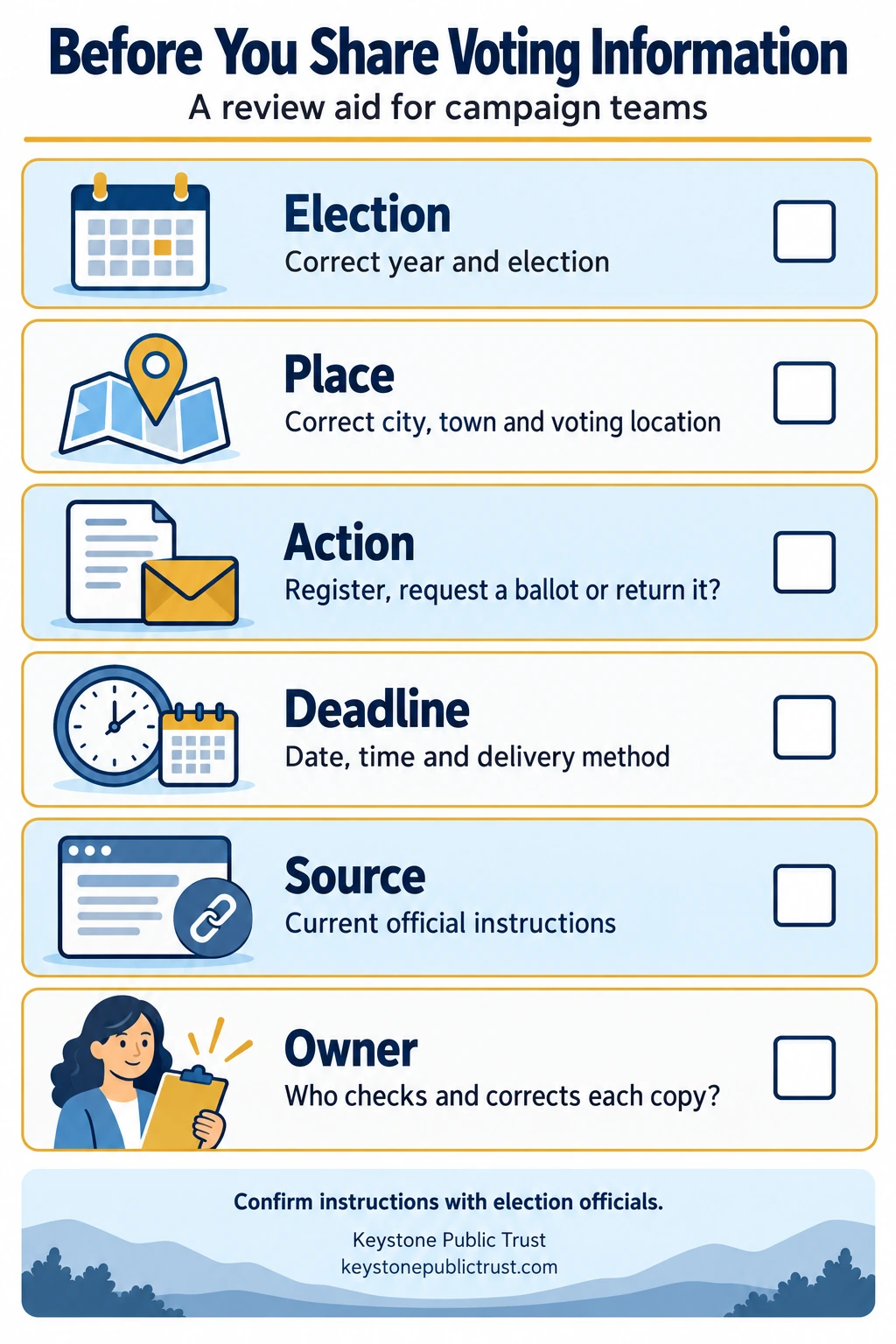
The same six checks apply whether you're preparing a website page, an email, or a social graphic:
- Election: Confirm the year and the specific election.
- Place: Confirm the city or town and the voting location for the action described.
- Action: Make clear whether someone is registering, requesting a ballot, or returning a completed ballot.
- Deadline: Verify the date, time, and delivery method. Read whether the instruction says received by or postmarked by.
- Source: Link to the current instructions from the appropriate election office.
- Owner: Name the person who checks the information and can arrange corrections to every copy.
Keep this check beside whoever prepares the campaign's voting reminders. It gives a second reader something specific to review before approving a post.
A familiar address isn't enough
Suppose a town uses one building for early voting and several precinct locations on Election Day. A graphic that simply says “Vote at Town Hall” leaves out the detail the voter needs.
Massachusetts' early voting guidance says an early voting location may differ from a person's Election Day polling place. Check the local schedule and identify the kind of voting the address is for.
Give links descriptive names, such as “Official local early voting hours.” People should be able to tell when they're leaving a campaign page for instructions from election officials.
A candidate's message and an election office's instructions have different purposes. Keep the source of each clear. Linking to the official page also gives the reader somewhere to check details your short reminder doesn't include.
Be especially precise about mail ballots
Requesting a ballot and returning a completed ballot are separate actions. Each has its own instructions.
The state's Voting by Mail guidance explains return options and deadlines. It also says completed mail ballots cannot be dropped off at an Election Day polling place.
Read the return instructions before writing “bring your ballot when you vote.” Check whether a deadline concerns arrival or a postmark, and whether an exception applies to that election.
If someone asks about their own ballot, help them find the official instructions and local election office. Questions about an individual's ballot status or eligibility belong with election officials. A general campaign post can't resolve those circumstances.
Keep a note you can check again
You don't need a complicated system. Copy the following into the document or task your team already uses. Complete one note for each distinct voting instruction.
Voting information review note
- Election and year: __________
- City or town: __________
- Action the reader is being asked to take: __________
- Exact deadline, time, and delivery method: __________
- Official source link: __________
- Checked by, with date and time: __________
- Next review date or point when the reminder must be withdrawn: __________
- Where this version appears: __________
- Person responsible for corrections and backup contact: __________
The useful part is the connection between the source and the distributed copies. If the instruction changes, this note tells the team where to look and who can update it.
For example, if a registration reminder was scheduled before the deadline passed, check the email queue and scheduled social posts as well as the website. Correcting one page won't stop an outdated message that is still waiting to go out.
A dated example: Massachusetts' 2026 state election
The following dates were checked against the Massachusetts Elections Division's election calendar and 2026 voting-options guide on October 27, 2026:
- The voter-registration deadline was October 24, 2026.
- The Vote by Mail application deadline is 5 p.m. Eastern on October 27, 2026. The application must reach the local election office by that deadline.
- The in-person early voting period is October 17–30, 2026. Check the local schedule for the actual hours and locations.
- Election Day is November 3, 2026, with polling hours of 7 a.m.–8 p.m.
These dates describe different actions. They are not interchangeable with the deadline for returning a completed ballot. Follow the state's mail-ballot guidance for the return method and election involved.
For a later election, check the official calendar again. The review method above can be reused; these 2026 dates cannot.
Make corrections where people saw the information
If the campaign shares an inaccurate voting instruction, state what was wrong, provide the correct information, and link to the official source. Check every channel that carried the instruction.
Where an older post can't be edited, use the available correction or replacement method to make the accurate information easy to find. Keep the internal record so another team member can see what changed.
Before approving the next reminder, have someone follow its links on a phone. Ask them to check whether the page supports the instruction in the draft. That small review can catch a wrong year, an outdated location, or a deadline attached to the wrong action.
Keystone Public Trust helps serious, family-values aligned Massachusetts candidates with message clarity, digital structure, and public-facing credibility. A Public-Facing Campaign Readiness Snapshot can help identify visible opportunities to make campaign information easier to understand.
Keystone Public Trust provides strategic, messaging, digital, and organizational advisory support. It does not provide legal advice, campaign finance compliance services, treasurer services, field operation ownership, or guaranteed electoral outcomes.
Image credit
Featured photo: Daderot / Wikimedia Commons, CC0 1.0. Archival photograph, December 2014.

Infographic: Original Keystone Public Trust review aid, created with AI assistance. Confirm voting instructions with election officials.